
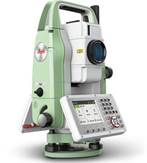
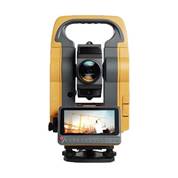
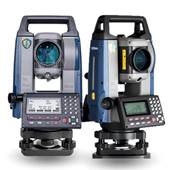
To keep your total station accurate and extend its lifespan, treat it like a laboratory microscope in the field. Always store the instrument in its hard case during transport, shield it from extreme temperatures and direct sunlight, and ensure your tripod and tribrach clamps are completely immobilized before shooting data. Regularly run internal calibration routines to eliminate tilt and collimation errors, verify that your EDM laser beam aligns perfectly with the optical crosshairs, and routinely run baseline checks to register exact prism and instrument constants. Finally, inspect the housing for loose parts and keep your firmware updated to prevent data logging glitches.
Cleaning and Storage
- Clean the lens and optics:
To maintain the pristine optical accuracy of your total station, you must follow a strict, non-abrasive cleaning sequence that prevents permanent scratches to the delicate anti-reflective lens coatings. Begin by tilting the instrument slightly downward and using a specialized air bulb or ultra-soft antistatic brush to gently sweep away loose sand, silica dust, and grit from the center outward. Once all abrasive particles are removed, slightly dampen a clean, lint-free microfiber cloth with optical-grade isopropyl alcohol—never spraying liquid directly onto the glass—and wipe in a gentle outward spiral to dissolve fingerprints, oil, and smudges without applying downward pressure. Finish by lightly buffing the surface with a dry section of the cloth, ensuring your lens cloths are always stored in a sealed zip lock bag to keep them free from field contaminants that can scatter light and degrade EDM laser performance.
- Store in its case:
In high-precision surveying and geospatial engineering, a total station is often the single most expensive asset in your field kit. Yet, many crews treat the instrument case as an afterthought, neglecting the strict storage protocols that shield delicate dual-axis compensators, glass encoders, and complex EDM optics from the elements.
Improper storage during transit or downtime is a leading cause of sudden calibration drift and unexpected hardware failures. Implementing a disciplined hard-case storage routine is the simplest, most effective way to protect your project accuracy and maximize your equipment’s operational lifespan.
Operational Precautions
- Secure the tripod:
In precision geospatial layout, your data is only as reliable as the physical foundation beneath it. You can deploy the most advanced, sub-second robotic total station in the market, but if your tripod legs shift by even a fraction of a millimeter, your entire coordinate geometry collapses. Beyond ruined data, an unstable setup risks a catastrophic instrument tip-over-a devastating field accident that instantly results in optical repairs and weeks of paralyzing project downtime. To eliminate this risk, experienced field engineers treat the setup as a non-negotiable safety ritual: always use your full body weight to firmly plant all three tripod shoes into compacted soil or lock them into solid concrete gaps, tightly engage every mechanical leg clamp, and establish a high-visibility elimination zone to protect the instrument from heavy site traffic.
Maintenance and Calibration
- Perform regular calibrations:
To maintain the absolute accuracy required for high-precision site layout, total stations must undergo regular calibrations executed exclusively by factory-trained personnel within temperature-controlled service centers. While standard field adjustments can mask minor daily drift, deep mechanical and optical misalignments require specialized access to the instrument’s restricted service mode software. Professional service laboratories utilize vibration-isolated collimator rigs and climate-stabilized environments to perfectly realign the tilting axis, correct horizontal ($Hz$) and vertical ($Ver.$) collimation errors, and execute precise EDM laser beam alignments. Entrusting your fleet to certified technicians ensures that your hardware receives an ISO-compliant calibration certificate, eliminating the systematic millimeter errors and catastrophic firmware corruptions that occur when untrained operators attempt manual baseline adjustments in volatile field conditions.
- Check for loose parts:
Periodically inspect the total station for any loose screws or parts and get them tightened by an experienced Service Personnel in the Service Centers.
- Keep software updated:
Check with the supplier for any available software updates and ask them to install them to improve performance and fix bugs during the time of chronological Calibrations.
Safety Precautions
- Avoid direct eye exposure:
In modern geospatial surveying and digital construction layouts, the Electronic Distance Measurement (EDM) laser is the ultimate driver of site productivity. It allows field crews to capture millimeter-accurate data across massive distances in a fraction of a second. However, because these lasers are an everyday tool on active job sites, many surveyors grow complacent about the severe ocular hazards they present. Looking directly into a total station’s laser beam—whether it is the visible red pointer or the invisible infrared EDM signal—can cause immediate, permanent retinal damage. Implementing strict laser safety protocols on-site is not just a regulatory compliance box to check; it is a vital practice to protect your crew’s eyesight and insulate your business from devastating liability claims.
- Handle with care:
To safeguard your total station’s internal glass encoders and EDM optics from calibration drift, never transport the instrument in a vehicle’s cargo bed where harsh road vibrations can cause mechanical shock; instead, secure the case flat on a padded passenger seat to utilize the cabin’s suspension. During field setup, rough-level the tripod head using the telescoping legs to prevent over-extending the tribrach foot screws, drive the shoes firmly into the ground using your full body weight, and tightly lock all three leg clamps to eliminate the structural splaying and coordinate geometry errors caused by baseline creep.
Information provided by:
Service & Technical Department Head
Dubai, United Arab Emirates.